
Navigating the universe of educational apps can feel like searching for a tiny planet in a vast galaxy. With thousands of options promising to boost your child’s brainpower, how do you find the ones that genuinely deliver fun, engaging, and effective learning? It's a common challenge for parents and teachers alike: separating the truly brilliant educational tools from the noisy, ad-filled distractions.
This guide is your mission control, designed to help you pinpoint the best learning apps for kids without the guesswork. We've explored, tested, and organised a definitive list of top-tier apps and platforms perfectly suited for children aged 6 to 12. Our goal is to give you a clear, practical overview so you can make informed choices that match your child's unique learning style and your family's educational goals.
Forget scrolling through endless promotional descriptions. Instead, we provide an honest analysis of each resource, covering key features, age suitability, pricing, and the specific learning outcomes you can expect. We'll look at everything from comprehensive learning subscriptions like Amazon Kids+ to specialised tools like Teach Your Monster to Read.
Each entry includes screenshots to give you a real feel for the user experience and direct links to get you started straight away. Whether you're a parent looking to supplement schoolwork, a teacher seeking classroom resources, or a homeschooling family building a digital curriculum, this list will equip you with the best tools for your young explorer’s educational journey. Let's launch into it!
Alt text: An illustration of a rocket ship exploring the solar system, representing the adventure of learning with educational apps.
1. Khan Academy Kids
Khan Academy Kids is a comprehensive, curriculum-aligned learning platform that offers thousands of activities, books, songs, and games for young children. What truly sets it apart is that it is 100% free, with no ads or subscriptions, a rare find in the world of the best learning apps for kids. This commitment to accessibility makes high-quality education available to everyone.
The platform's strength lies in its holistic, play-based approach. It covers not just core subjects like reading, writing, and maths, but also social-emotional development, creative expression, and problem-solving skills. An adaptive learning path personalises the experience, adjusting the difficulty of challenges based on your child's performance. This ensures they remain engaged and suitably challenged without feeling overwhelmed.
Key Features and User Experience
The user interface is colourful, intuitive, and incredibly child-friendly, guided by charming animal characters. Parents have a dedicated dashboard where they can view their child's progress, assign specific lessons, and discover activities to do together offline. This seamless integration of on-screen and off-screen learning is a standout feature.
Our Take: For families seeking a robust, well-rounded, and genuinely free educational tool, Khan Academy Kids is an unparalleled choice. It masterfully combines fun with foundational learning.
- Best for: All-round foundational learning, social-emotional skills.
- Age Range: Primarily 2-8, but still valuable for older children needing reinforcement.
- Pricing: Completely free.
- Availability: iOS, Android, Amazon Appstore.
- Link: Khan Academy Kids
2. Google Play Store (UK)
While not a single app, the Google Play Store is the essential gateway for any Android or Chromebook user seeking the best learning apps for kids. As the official marketplace for the world's most popular mobile operating system, its sheer scale is its primary advantage. It hosts a dedicated "Kids" section, featuring curated and "teacher-approved" apps, which helps parents navigate the enormous catalogue and find high-quality, age-appropriate content. This makes it a crucial first stop for discovering new educational tools.
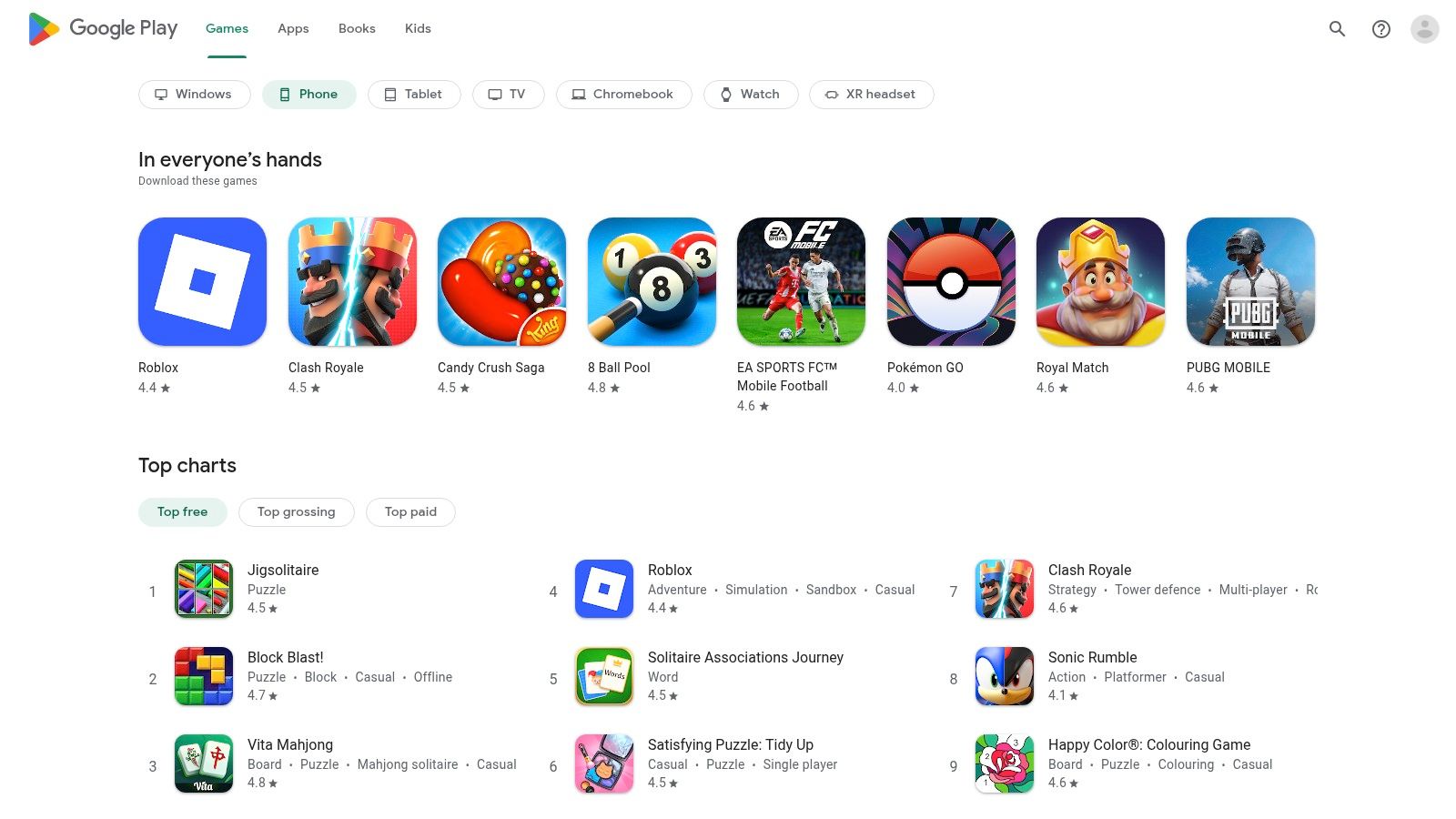
The platform’s strength lies in its ecosystem integration. Features like the Family Library allow families to share purchased apps, books, and films across multiple devices, offering excellent value. Furthermore, the optional Google Play Pass subscription provides access to hundreds of premium apps and games, completely free of ads and in-app purchases, for a low monthly fee. This is a cost-effective way to trial a wide variety of vetted educational resources without committing to individual purchases.
Key Features and User Experience
Navigating the store is straightforward, with powerful search filters and well-organised categories that make finding specific types of apps simple. Parents can set up controls and spending limits through Google Family Link, ensuring a safe browsing and purchasing environment for their children. While the quality across the millions of apps can vary, the "teacher-approved" badge is a reliable indicator of educational merit, helping parents make informed decisions and build a powerful library of learning tools on their devices.
Our Take: For Android and Chromebook households in the UK, the Google Play Store is the indispensable starting point. Its curated sections and family-sharing features make it a powerful tool for discovering top-tier educational apps.
- Best for: Discovering a vast range of apps, family sharing.
- Age Range: All ages, with strong filters for 6-12.
- Pricing: Varies (free, paid, in-app purchases, subscription with Play Pass).
- Availability: Android, ChromeOS.
- Link: Google Play Store UK
3. Amazon Kids+ (UK)
Amazon Kids+ is a comprehensive subscription service that bundles thousands of child-friendly books, apps, games, videos, and Audible audiobooks into a single, curated environment. Its major advantage is creating a "walled garden" of content, meaning everything within it is age-appropriate and free from adverts or in-app purchases. This makes it a strong contender among the best learning apps for kids, particularly for families already invested in the Amazon ecosystem.
The service truly shines on Amazon Fire tablets, where it integrates seamlessly. The platform’s strength lies in its robust parental controls, which allow you to set educational goals and time limits with ease. For example, the ‘Learn First’ feature can be configured to block access to games and videos until a daily reading goal has been met, encouraging a healthy balance between learning and entertainment.
Key Features and User Experience
The user interface is bright, visual, and simple for children to navigate, with content filtered based on the age range you set. The Parent Dashboard is a standout feature, offering detailed insights into how your child spends their time and allowing you to adjust settings remotely. It also allows for offline downloads, a lifesaver for travel or situations without Wi-Fi. While primarily optimised for Amazon devices, its all-in-one library model offers exceptional value and peace of mind.
Our Take: For families using Amazon Fire devices, Kids+ offers an unparalleled, all-in-one content solution with some of the strongest and most intuitive parental controls on the market.
- Best for: All-in-one content library, families using Amazon Fire devices.
- Age Range: Primarily 3–12, with customisable profiles for different children.
- Pricing: Starts from £3.99/month for Prime members. A one-year subscription is often included with a new Fire Kids Edition tablet.
- Availability: Best experience on Amazon Fire tablets and Fire TV; access varies on other devices.
- Link: Amazon Kids+
4. BBC CBeebies Playtime Island
BBC CBeebies Playtime Island is a vibrant and safe digital playground for young learners, brought to you by the trusted British Broadcasting Corporation. It features a wonderful collection of games and activities starring popular characters from CBeebies shows like Numberblocks, Alphablocks, and Hey Duggee. What makes this one of the best learning apps for kids is its public-service ethos: it is completely free to use, contains no adverts, and has no in-app purchases.
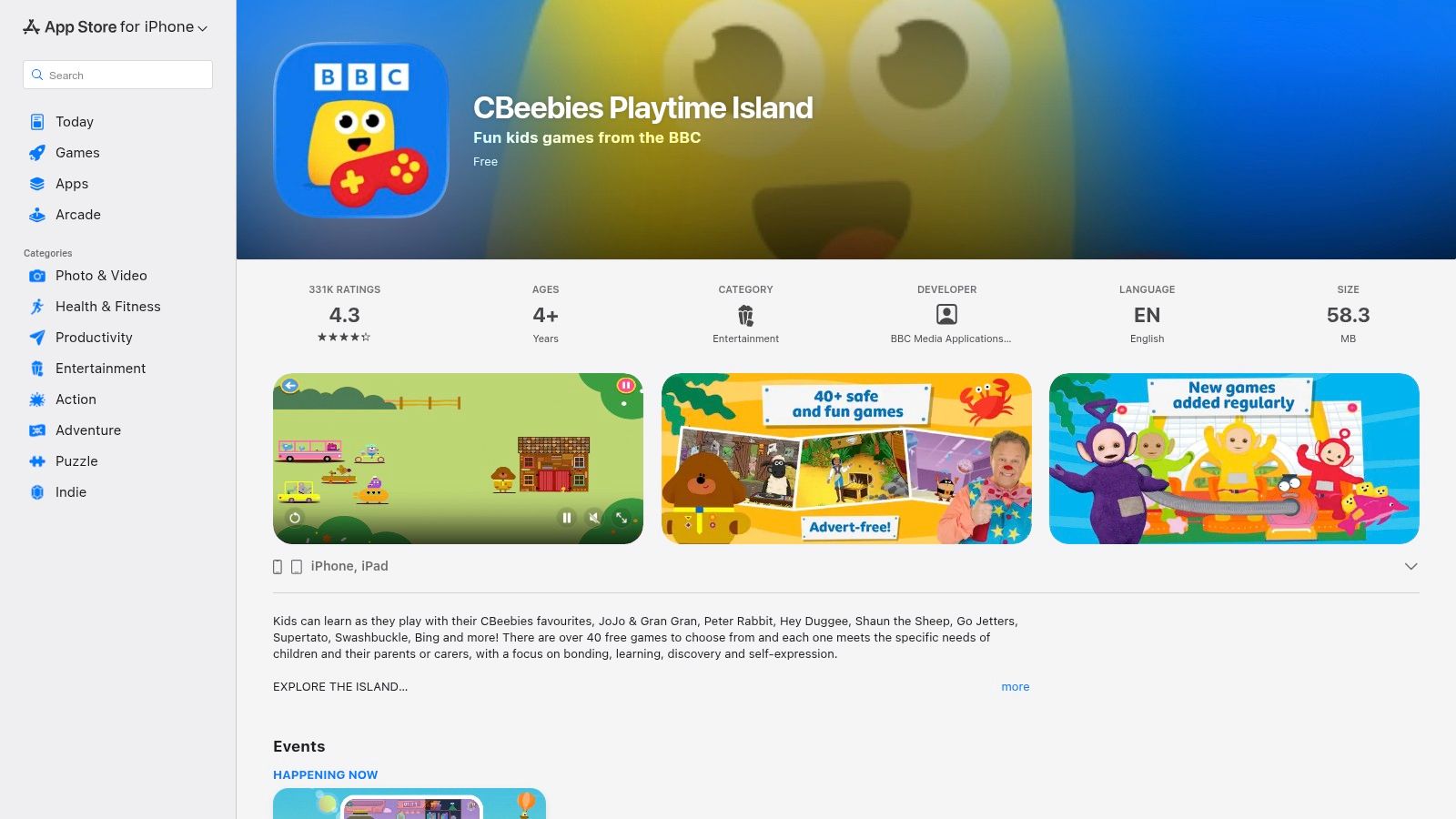
The app is expertly designed for early years and Key Stage 1 children, with content that playfully supports the curriculum. Games focus on developing core skills in phonics, numeracy, creativity, and problem-solving, all within a familiar and encouraging environment. Many of the activities are also available to download and play offline, making it a perfect companion for travel or times without an internet connection. This focus on purposeful, short-burst play sessions makes it an ideal choice for preschoolers. For more ideas on using games for learning, you can explore other online educational games for kids.
Key Features and User Experience
The interface is bright, intuitive, and designed with little fingers in mind, allowing children to navigate independently to their favourite characters and games. The app is regularly updated with new content, keeping the experience fresh and exciting. While primarily aimed at the UK audience, it provides high-quality, safe screen time that parents can feel good about. The child-safety focus is a core component of its design, ensuring a worry-free experience.
Our Take: For families with preschool-aged children, particularly in the UK, Playtime Island is an essential download. It offers exceptional, curriculum-linked fun from a trusted source, completely free of charge.
- Best for: Preschool learning, numeracy and phonics, offline play.
- Age Range: Primarily 2-6, but enjoyable for younger primary pupils.
- Pricing: Completely free.
- Availability: iOS, Android, Amazon Appstore.
- Link: BBC CBeebies Playtime Island
5. Reading Eggs (UK)
Reading Eggs is a highly structured, multi-award-winning online reading programme designed to make learning to read interesting and engaging for young children. Its core strength lies in its systematic, self-paced lessons that cover the five essential components of reading: phonics, phonemic awareness, vocabulary, fluency, and comprehension. The platform also includes Mathseeds, a complementary programme for developing early numeracy skills, making it a comprehensive tool for foundational learning.
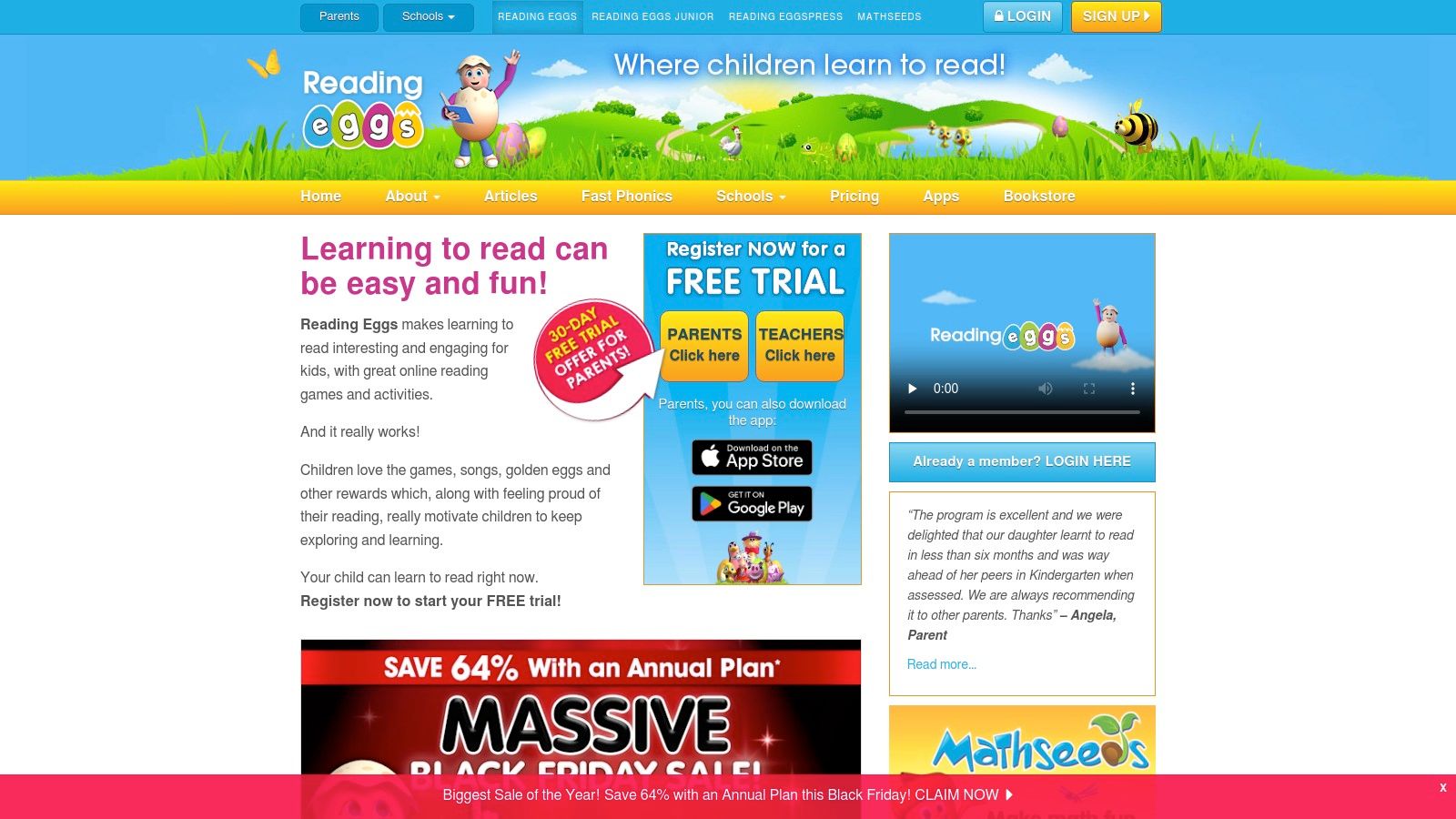
The journey begins with a placement test that accurately assesses your child's ability, ensuring they start at the perfect level. From there, a clear, progressive pathway guides them through a series of gamified lessons, animations, and rewarding activities. This structured progression is particularly valued by parents and schools in the UK who use it for consistent, daily practice, helping to build confident and proficient readers. For parents looking for ways to boost their child's abilities, you can learn more about how to improve reading comprehension with targeted strategies.
Key Features and User Experience
The user experience is bright, motivating, and full of charming characters and collectable rewards that keep children motivated to progress. The platform is segmented into distinct zones: Reading Eggs Junior (ages 2–4), Reading Eggs (ages 3–7), and Reading Eggspress (ages 7–13), ensuring the content and interface are always age-appropriate. Parents receive detailed progress reports and can print out worksheets to reinforce learning offline. While a subscription is required for full access after the initial free trial, the multi-child plans offer excellent value for families.
Our Take: For families seeking a proven, step-by-step phonics and reading programme, Reading Eggs is one of the best learning apps for kids available. Its structured, gamified approach effectively builds literacy and numeracy skills.
- Best for: Structured phonics, reading progression, and early maths.
- Age Range: 2–13, with different programmes for each stage.
- Pricing: Subscription-based after a 30-day free trial. Plans start from around £6.99/month.
- Availability: Web browser, iOS, Android.
- Link: Reading Eggs (UK)
6. Busy Things (UK)
Busy Things is a brilliantly quirky, UK-made learning website packed with hundreds of games and activities specifically mapped to the national curriculum. Widely used in primary schools across the country, it offers families the same high-quality, trusted resource at home. It covers an impressive range of subjects, from core English and maths to science, geography, music, and even coding, all presented with a distinctively playful and humorous style.
The platform’s major strength is its direct alignment with the Early Years Foundation Stage (EYFS) and Key Stages 1 and 2. This makes it an invaluable tool for parents looking to support their child’s schoolwork in a way that feels like fun, not homework. With adjustable difficulty settings and the ability to create separate profiles for multiple children, it grows with your family and ensures each child is learning at a pace that is just right for them.
Key Features and User Experience
The user experience is colourful and chaotic in the best possible way, designed to spark curiosity and encourage exploration. While the sheer volume of activities can initially feel overwhelming, parents can guide children towards specific topics or simply let them explore their interests freely. It’s a web-based platform, meaning it performs best on a computer or tablet, where the full scope of its interactive games can be enjoyed without the limitations of a small phone screen.
Our Take: For UK families wanting a comprehensive tool that directly supports the school curriculum, Busy Things is a fantastic and cost-effective choice. Its fun-first approach makes it one of the best learning apps for kids.
- Best for: UK curriculum-aligned learning, multi-subject practice.
- Age Range: 3-11 (EYFS to the end of KS2).
- Pricing: Subscription-based, with monthly (£5.99) and annual (£44.99) family plans available.
- Availability: Web-based (works on computers and tablets).
- Link: Busy Things for Families
7. Khan Academy Kids
Khan Academy Kids is a comprehensive, curriculum-aligned learning platform offering thousands of activities, books, and games for young children. What truly sets it apart is that it is 100% free, with no ads or subscriptions, a rare find in the world of the best learning apps for kids. This commitment to accessibility makes high-quality education available to everyone, removing financial barriers for families.
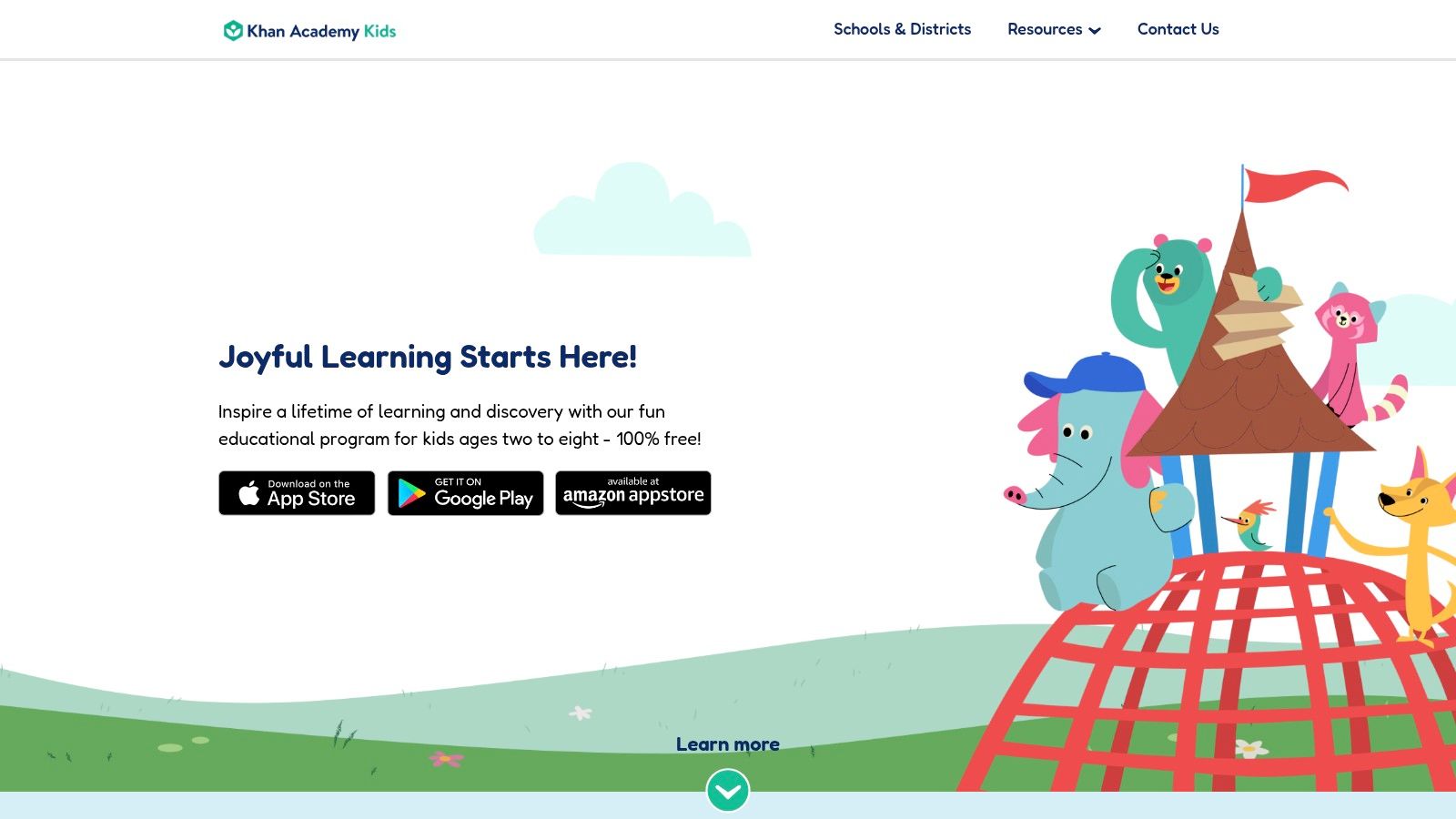
The platform's strength lies in its holistic, play-based approach. It covers not just core subjects like reading, writing, and maths, but also social-emotional development, creative expression, and problem-solving skills. An adaptive learning path personalises the experience, adjusting the difficulty of challenges based on your child's performance. This ensures they remain engaged and suitably challenged without feeling overwhelmed. It’s a brilliant starting point before children move on to more complex STEM learning activities.
Key Features and User Experience
The user interface is colourful, intuitive, and incredibly child-friendly, guided by charming animal characters. Parents have a dedicated dashboard where they can view their child's progress, assign specific lessons, and discover activities to do together offline. This seamless integration of on-screen and off-screen learning is a standout feature, although younger children may occasionally need a little adult guidance to get the most out of the platform.
Our Take: For families seeking a robust, well-rounded, and genuinely free educational tool for early years, Khan Academy Kids is an unparalleled choice. It masterfully combines fun with foundational learning.
- Best for: All-round foundational learning, social-emotional skills.
- Age Range: Primarily 2-8, but still valuable for older children needing reinforcement.
- Pricing: Completely free.
- Availability: iOS, Android, Amazon Appstore.
- Link: Khan Academy Kids
8. Teach Your Monster to Read
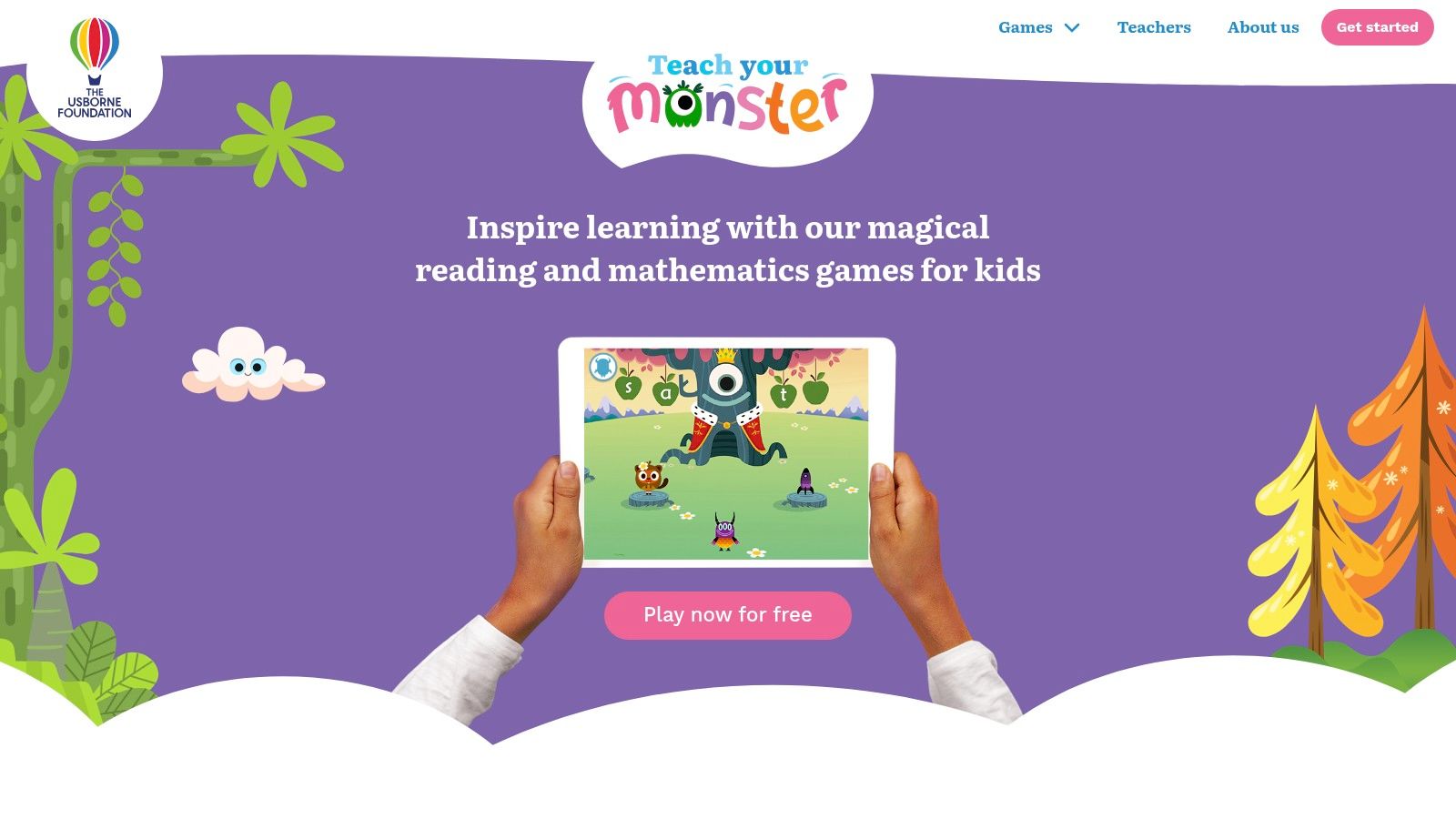
Teach Your Monster to Read is an award-winning series of games that masterfully builds a child’s confidence in phonics and reading. Developed by the Usborne Foundation, a UK charity, it stands out by making systematic phonics learning an enchanting adventure. What makes it one of the best learning apps for kids is its accessibility: the entire reading and maths journey is completely free on the web, with one-off purchases for the mobile apps instead of recurring subscriptions.
The platform guides children from their very first letter sounds all the way to reading full sentences. It was designed in collaboration with leading academics and is widely used in UK primary schools, ensuring its methods are both engaging and educationally sound. Children create their own monster and take it on a magical journey, meeting colourful characters and collecting rewards as they progress, which keeps them motivated to learn.
Key Features and User Experience
The user experience is story-driven and incredibly intuitive, requiring minimal parental supervision. Each game cleverly embeds phonics principles into playful tasks, so children learn naturally without feeling like they are being tested. The progression is gentle but effective, building skills layer by layer in a logical sequence that aligns with school curricula. The recent addition of a number skills game, Adventurous Eating, applies the same fun, game-based formula to early mathematics.
Our Take: For building a rock-solid phonics foundation in a fun, pressure-free environment, this platform is exceptional. The free web access makes it a superb resource for every family.
- Best for: Phonics, early reading, and number sense.
- Age Range: Primarily 3-8, but excellent for any child starting their reading journey.
- Pricing: Free on all web browsers. A one-time fee per app on mobile.
- Availability: Web, iOS, Android, Amazon Appstore.
- Link: Teach Your Monster to Read
9. Oxford Owl for Home
Oxford Owl for Home is a fantastic online resource from Oxford University Press, created to support children's learning at home, particularly in reading. Its standout feature is the completely free eBook library, offering over 100 digital books that align with popular UK phonics schemes like Oxford Reading Tree and Read Write Inc. This makes it an invaluable, high-quality supplement to school-based learning.
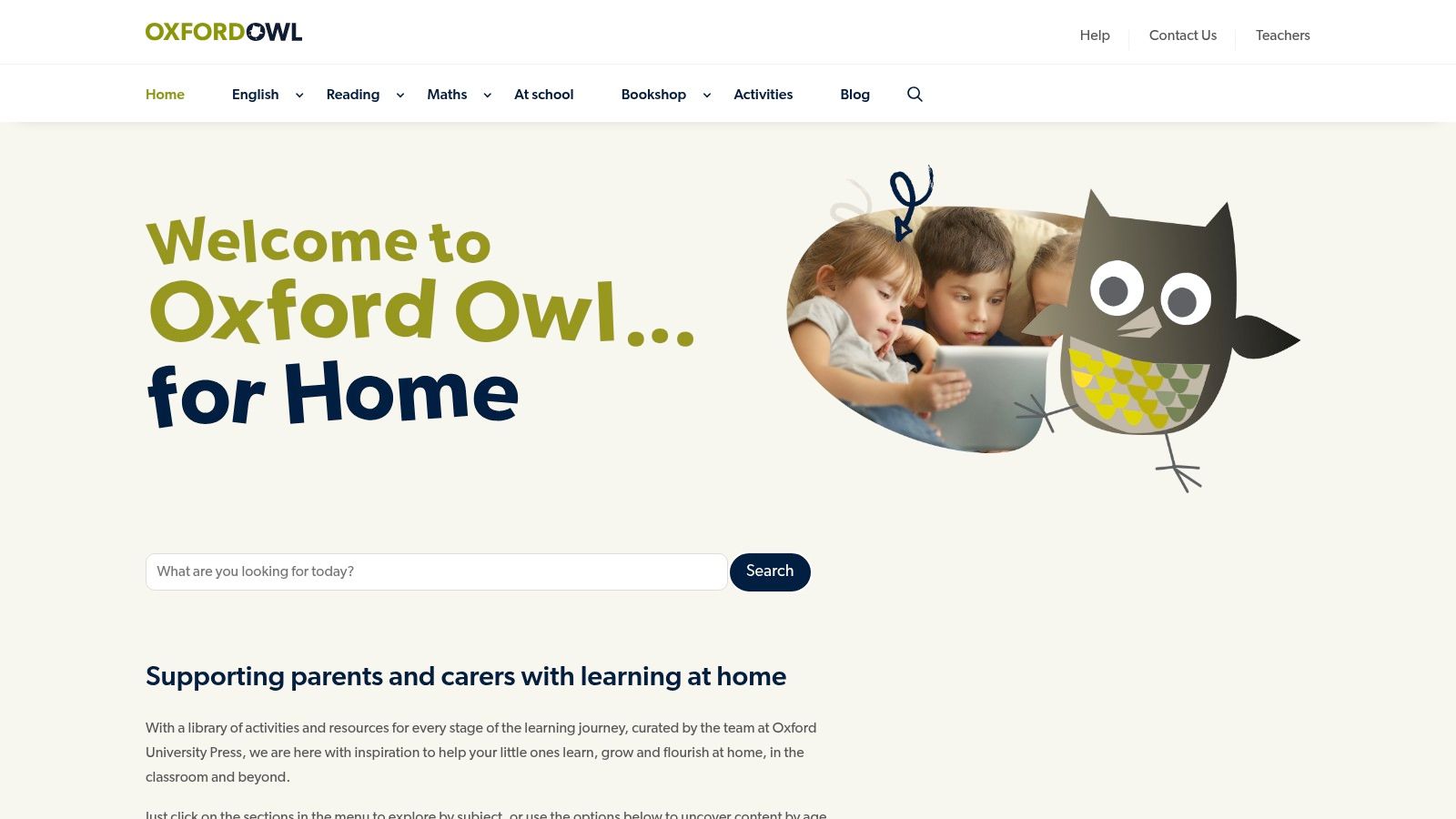
Unlike many app-based platforms, Oxford Owl focuses on providing trusted, curriculum-aligned reading materials and practical advice for parents. The platform is designed to complement, not replace, formal education, giving parents the tools and confidence to help their children practise essential phonics and comprehension skills. The experience is best on a tablet or computer, allowing children to see the beautifully illustrated pages clearly.
Key Features and User Experience
Navigating the site is straightforward after a simple, free parent registration. The eBook library is organised by age and reading level, making it easy to find appropriate books. Each eBook comes with helpful tips for before, during, and after reading. The platform also includes a wealth of free resources, including phonics guides, activity sheets, and maths games, all designed by educational experts to make learning feel supportive and engaging.
Our Take: For parents in the UK wanting to directly support their child's school reading scheme without extra cost, Oxford Owl for Home is an essential resource. It's less of an "app" and more of a digital bookshelf and parental guide, perfectly bridging the gap between classroom and home.
- Best for: Supporting school-based phonics, free access to quality reading books.
- Age Range: 3-11.
- Pricing: Completely free.
- Availability: Website (tablet and computer optimised).
- Link:
10. Common Sense Media – App Lists
While not a learning app itself, Common Sense Media is an indispensable resource for parents navigating the crowded market of educational software. It functions as an independent, non-profit review site, offering expertly curated lists and detailed, unbiased reviews of apps, games, and websites. This platform empowers parents to make informed choices, saving them time and money by vetting options before they download or purchase anything.
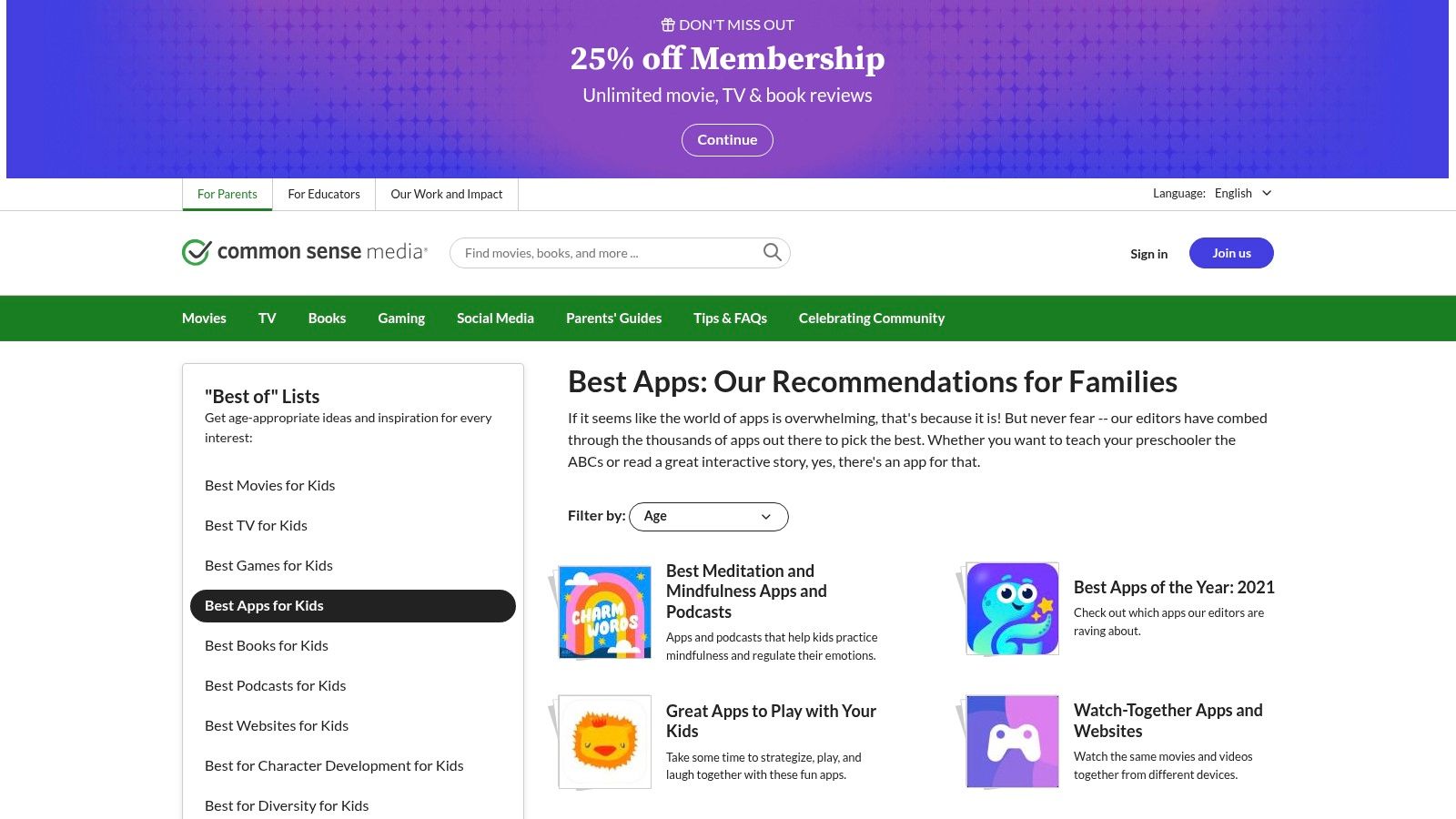
Its strength lies in its rigorous, research-backed review process. Each app is evaluated for its educational value, engagement, and ease of use, with a clear "Learning Rating" out of five. Reviews provide balanced pros and cons, discussion points for families, and privacy reports, giving a complete picture of the user experience. This level of detail makes it one of the best ways to discover high-quality, safe, and effective learning apps for kids.
Key Features and User Experience
The website is straightforward to navigate, allowing users to filter content by age, subject, platform, and price. You can explore themed lists like "Best Apps for Learning" or search for a specific title. The reviews are written with parents in mind, translating complex educational concepts into practical advice. Their analysis often goes beyond simple gameplay, looking at how tools like educational video games can support critical thinking and curriculum goals.
Our Take: For any parent feeling overwhelmed by choice, Common Sense Media is the essential first stop. It provides the clarity and confidence needed to select apps that are genuinely beneficial for your child's development.
- Best for: Vetted recommendations, safety and privacy information, finding niche apps.
- Age Range: All ages, from toddlers to teens.
- Pricing: Completely free to access all reviews and lists.
- Availability: Website (accessible on all devices).
- Link: Common Sense Media – App Lists
11. Twinkl – Digital Hub and Apps
Originally a powerhouse for teacher-created classroom resources, Twinkl has expanded into a comprehensive digital ecosystem, making it one of the best learning apps for kids looking for curriculum-aligned support. While not a single app, it’s a suite of targeted applications for phonics, spelling, times tables, and even augmented reality, all linked to a vast library of printable materials. This unique connection between digital activities and offline worksheets is its greatest strength.
The platform is built on content created by experienced teachers, ensuring everything is reliable, high-quality, and aligned with the UK curriculum. This educator-led approach means the resources are designed with real learning objectives in mind, bridging the gap between what children do at school and the support they receive at home. A single membership unlocks access to the entire suite of apps and the extensive library of resources on the main website.
Key Features and User Experience
Each app in the Twinkl suite is designed with a specific learning goal, from the interactive "Rhino Readers" library to the fast-paced "Twinkl Mental Maths" game. While the individual apps are straightforward, navigating the sheer volume of content on the main Twinkl website can feel overwhelming for new users. The real value is unlocked when parents use the website to find supplementary worksheets or lesson plans that correspond with the app-based learning, creating a truly blended educational experience.
Our Take: For families wanting a deep well of UK curriculum-aligned resources that blend screen time with hands-on activities, a Twinkl membership is a fantastic investment.
- Best for: UK curriculum reinforcement, blending digital and printable learning.
- Age Range: Primarily 3-11, with resources extending to older secondary school pupils.
- Pricing: Some apps and resources are free. Full access requires a subscription (from around £5.99/month).
- Availability: iOS, Android.
- Link: Twinkl Apps
12. Night Zookeeper
Night Zookeeper is a wonderfully creative, gamified platform that aims to unlock your child's imagination and turn them into a confident writer. Originating from the UK, this online world encourages children to invent their own magical animals and write stories about them, making it one of the best learning apps for kids who might be reluctant writers. It cleverly transforms writing from a chore into an exciting adventure.
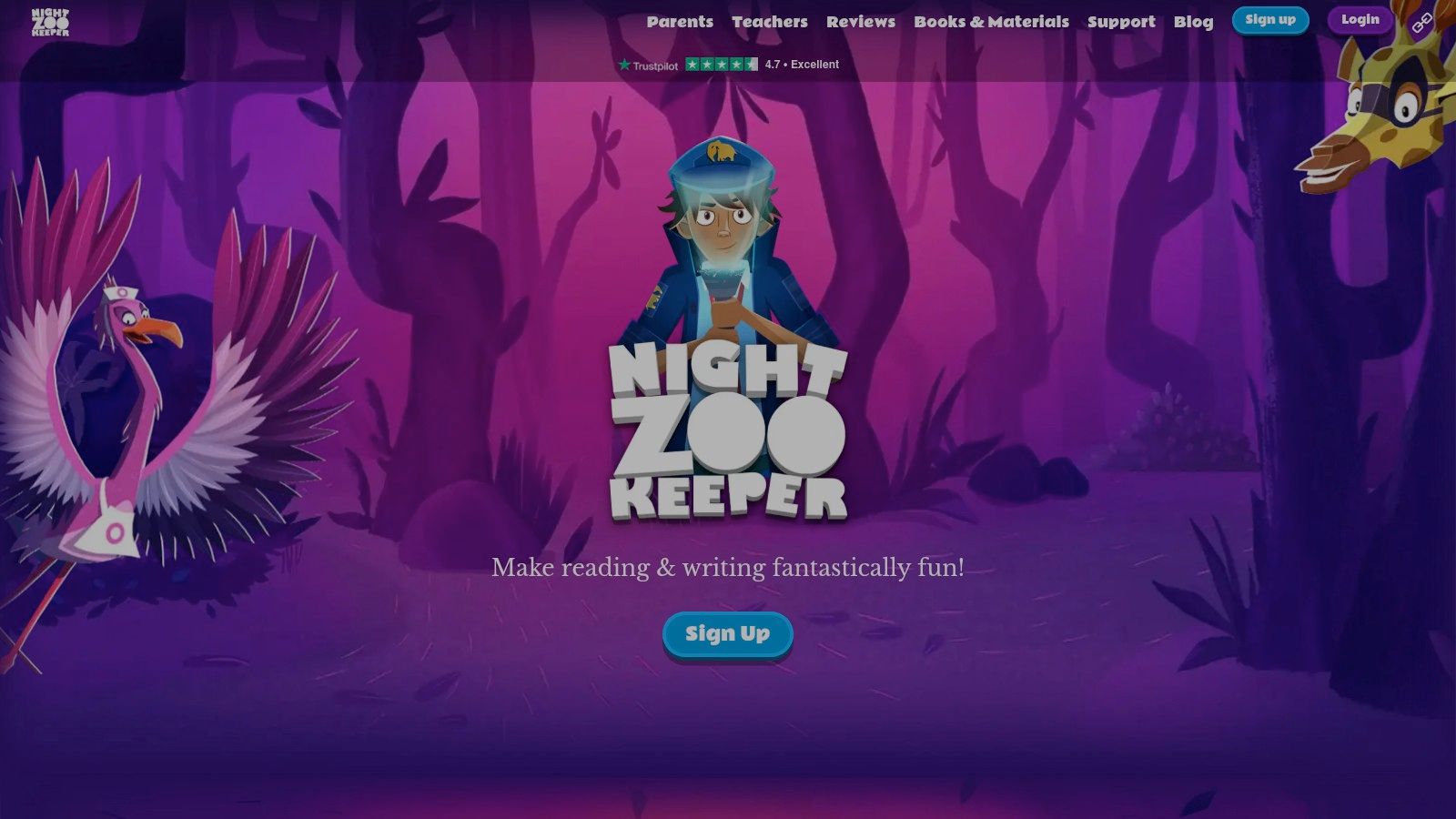
The platform's strength is its focus on motivation through creativity and community. Children complete interactive lessons, vocabulary games, and guided writing challenges, earning rewards to grow their personal 'zoo'. A key feature is the moderated feedback loop, where children receive positive comments from a team of trained tutors on their work, which helps build their confidence and skills. It’s an engaging way to nurture a love for storytelling and improve literacy.
Key Features and User Experience
The web-based platform is vibrant, easy to navigate, and full of charming characters and quests that draw children in. For parents and teachers, the dashboard provides a clear overview of progress, tracking words written, skills mastered, and feedback received. The ability to switch between UK and US English makes it versatile, and the platform’s alignment with national curriculum goals for literacy is a significant plus for families supporting school work.
Our Take: For children who need a creative spark to get them writing, Night Zookeeper is an exceptional tool. It masterfully uses gamification and positive reinforcement to boost literacy skills.
- Best for: Motivating reluctant writers, creative writing, vocabulary building.
- Age Range: Approximately 6-12.
- Pricing: Subscription-based, with monthly or discounted annual plans available. A 7-day free trial is offered.
- Availability: Web-based (works on most devices with a browser).
- Link: Night Zookeeper
Top 12 Kids Learning Apps — Feature Comparison
| Product | Core features | UX & Quality (★) | Value & Price (💰) | Target audience (👥) | Unique selling points (✨ / 🏆) |
|---|---|---|---|---|---|
| Khan Academy Kids | Free, standards-aligned early years curriculum, teacher tools | ★★★★★, ad-free, research-informed | 💰 Completely free | 👥 Ages ~2–8, home & classroom | ✨ High-quality free content, offline options, 🏆 research-backed |
| Google Play Store (UK) | Wide Android/Chromebook apps, Family Library, Play Pass | ★★★★☆, broad device support, variable quality | 💰 Free/paid apps, Play Pass subscription option | 👥 Android/ChromeOS households | ✨ Teacher-approved lists, wide device reach |
| Amazon Kids+ (UK) | Curated kids’ content bundle, parent dashboard, offline | ★★★★☆, family-friendly, Fire-optimised | 💰 Subscription bundle (device-limited) | 👥 Amazon device families (Fire/TV) | ✨ Learn First rewards, strong parental controls |
| BBC CBeebies Playtime Island | Free games with CBeebies brands, offline play, ad-free | ★★★★☆, simple, safe for preschool | 💰 Free | 👥 Preschool & KS1 children | ✨ Trusted public-service IPs, ad-free, 🏆 curriculum-linked for early years |
| Reading Eggs (UK) | Structured reading/phonics tracks, placement tests, gamified | ★★★★☆, progressive learning UX | 💰 Subscription (multi-child plans good) | 👥 Ages 2–13, homes & schools | ✨ Adaptive pathways + Mathseeds, clear progression |
| Busy Things (UK) | Hundreds curriculum-aligned activities across subjects | ★★★★☆, school-oriented, rich library | 💰 Affordable family/school subscription | 👥 EYFS–KS2, UK schools & families | ✨ Strong UK curriculum mapping, multi-child value |
| Teach Your Monster to Read | Systematic phonics games, web free + paid apps | ★★★★☆, engaging phonics progression | 💰 Free web / one-off app purchases | 👥 Early readers, KS1 | ✨ Award-winning phonics, school-used, good one-off value |
| Oxford Owl for Home | Free eBook library, phonics-aligned resources, parent guidance | ★★★★☆, publisher-quality reading UX | 💰 Free (registration) | 👥 Ages 3–11, parents & teachers | ✨ Oxford-authored readers, phonics scheme alignment |
| Common Sense Media – App Lists | Curated app lists, detailed reviews, filters by age/skill | ★★★★☆, independent, practical insights | 💰 Free review resource | 👥 Parents & educators vetting apps | ✨ Vetted reviews, educator-focused filters, time-saver |
| Twinkl – Digital Hub & Apps | Teacher-created apps, curriculum resources, AR/3D tools | ★★★★☆, comprehensive educator UX | 💰 Membership/subscription | 👥 Teachers, parents, primary learners | ✨ Vast teacher resources, AR/3D extras, curriculum-aligned |
| Night Zookeeper | Gamified writing prompts, vocabulary games, moderated community | ★★★★☆, motivating & creative UX | 💰 Subscription (best value annually) | 👥 Ages ~6–12, reluctant writers | ✨ Gamified writing + moderated community, strong engagement |
Your Learning Adventure Continues!
Navigating the vibrant, ever-expanding universe of educational apps can feel like a mission in itself. From the vast libraries of app stores to curated subscription services like Amazon Kids+, the options are almost limitless. We've explored a fantastic range of the best learning apps for kids, each offering a unique approach to making learning engaging, effective, and, most importantly, fun.
Our journey has taken us through comprehensive platforms like Reading Eggs and Busy Things, which provide structured curricula across multiple subjects. We’ve seen how free, high-quality resources from Khan Academy Kids and Oxford Owl for Home can democratise learning, making exceptional educational content accessible to everyone. Meanwhile, apps like Teach Your Monster to Read and Night Zookeeper prove that storytelling and creativity are powerful catalysts for literacy and imagination.
Key Takeaways for Your Family’s Learning Journey
Choosing the right tool isn’t about finding a single "perfect" app, but about building a balanced digital toolkit that supports your child's individual needs and curiosities. Remember, the goal is to supplement, not replace, traditional learning and play. The most effective approach combines screen time with hands-on activities, outdoor exploration, and quality family time.
Think of these apps as launchpads for curiosity. A coding game could inspire a real-world building project, while a digital story might lead to a trip to the local library. The key is to stay engaged with your child’s digital experiences, discussing what they’re learning and helping them connect it to the world around them.
How to Choose the Best Learning Apps for Your Child
Feeling overwhelmed by choice? Don't worry. Here’s a simple framework to help you select the most suitable apps for your family’s mission.
-
Define Your Goal: Are you looking to boost reading confidence, introduce coding concepts, or supplement maths homework? Start with a clear objective. For foundational literacy, Teach Your Monster to Read is a brilliant, game-based starting point. For a broad curriculum, Busy Things offers a huge variety of activities aligned with UK school standards.
-
Consider Your Child’s Learning Style: Does your child thrive on creative expression or structured challenges? A budding artist and writer might adore the imaginative world of Night Zookeeper, while a child who loves logic and puzzles may prefer the structured lessons in Khan Academy Kids.
-
Assess Your Budget and Commitment: Before committing to a subscription, take full advantage of free trials. Services like Amazon Kids+ and Reading Eggs offer a chance to explore before you invest. Also, don't overlook powerful free resources like BBC CBeebies Playtime Island and the apps from Twinkl, which offer incredible value without any cost.
-
Prioritise Safety and Quality: Always check reviews and ratings on trusted platforms like Common Sense Media. Look for apps that are ad-free, protect your child's privacy, and have been developed with input from educational experts. A safe and positive digital environment is non-negotiable.
Ultimately, the search for the best learning apps for kids is an ongoing adventure. As your child grows, their interests will change, and their learning needs will evolve. The most important thing you can do is foster a lifelong love of learning, showing them that knowledge and discovery are the greatest adventures of all. Keep exploring, stay curious, and enjoy the journey together!
If your young explorer is captivated by the wonders of space and storytelling, continue their learning adventure with Space Ranger Fred. Our award-winning books and free activities blend thrilling narratives with real STEM concepts, making science accessible and exciting for every child. Discover how a great story can be the most powerful learning tool of all at Space Ranger Fred.